
By UltraDisplayAds · Screen content planning
A headline on a public screen can look more authoritative than the same sentence in a private message. People may see the venue’s branding, miss the small source label and assume the business has checked or endorsed the statement. A responsible screen-content workflow therefore needs more than a list of interesting headlines: it needs attribution, useful context and a way to remove information that is no longer current.
This guide concerns editorial handling, not permission to copy publishers’ articles or a claim that UltraDisplayAds automatically supplies a licensed news feed. NewsBeagle can help staff discover attributed reporting and reach original publishers. Before using any headline, photograph, extract or feed commercially, establish the applicable permission with the relevant publisher or provider rather than assuming public availability means unrestricted reuse.
Decide what role the news item serves
Write down why a particular update belongs on the screen. It may help visitors find a current local notice, provide context for an event or direct them to a publisher’s full report. That purpose should determine the format. A short pointer to an original source is different from presenting a complete news service, and an operating notice from the venue should not be styled as an independent news report.
Keep advertisements, venue announcements and attributed news visually distinct. Do not add a publisher’s identity to promotional copy in a way that implies endorsement. Equally, do not remove the source from reporting merely to make a layout cleaner. The person approving the screen should be able to explain who is responsible for each message and where a viewer can find the fuller context.
Find the original report before designing the card
Follow the original article link, read the important claim and identify its evidence. NewsBeagle’s guide to news aggregators and original publishers explains the discovery distinction. A collection of headline links is useful, but it does not turn repeated coverage of one announcement into several independent checks.
In the production record, keep the publisher, source URL, relevant event date, check time and any correction or uncertainty. If the report changes, the team then knows which item needs attention. Avoid using a cropped social image as the only source for a public-facing card. It may have lost the publication date, qualification or correction that makes the statement understandable.
Make attribution survive the screen layout
Give the source label a deliberate position rather than treating it as disposable fine print. Check that it remains visible during transitions and does not disappear behind another overlay. Where you offer a route to the report, test it from the actual screen and viewing position. A destination that is technically present but impossible to read or scan does not give the audience a useful way to inspect the source.
Keep a location label separate from the event date. The dateline and byline explainer helps distinguish reporting location, authorship and evidence. A city printed near an article’s opening is not a substitute for the affected street, business or district. Do not use a broad place label to make a specific local claim the report does not support.
Use separate records for sport and venue screening
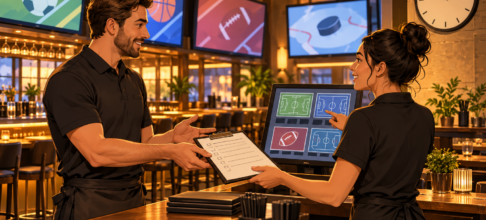
Sports information needs the same care. Use SportsFixtures to research an event and verify the exact participants and date in the sports fixtures list. Keep a fixture announcement separate from a venue statement that it will show the event. The first describes sport; the second is an operating promise made by a business.
Use the sports TV guide for programme research, then verify the actual territory, live or replay status and venue arrangements. The Thailand kick-off planning guide offers useful local-date context for Thailand-facing screens. A card intended for another country needs its own local date and programme check, not the same artwork with a city name replaced.
Give every time-sensitive item a review point
Choose when the item should be checked again or removed. This might follow an event, a scheduled operator update or the end of a venue notice’s useful period. Do not describe an arbitrary expiry interval as a guarantee that a claim remains accurate until then. A material correction can require action earlier, and a disconnected player may still display an older exported version.
Keep the screen inventory and correction route with the content record. When an item is wrong, identify which displays and playlists received it, replace or remove it, then verify what viewers now see. Record the correction without retaining unnecessary personal information. For ongoing discovery, the focused news-feed guide can help a team choose manageable topics. See UltraDisplayAds articles for related planning guidance; a well-labelled screen should make the source and the venue’s own responsibility clearer, not blur them.